
One account, every machine, no holds.
To open a smart cooler today, the machine ring-fences ten pounds or more of a customer's money before they have picked anything up. Nubar replaces that hold with a verified account. The door opens, the machine reports what was taken, and the customer is charged for exactly that.
On the door
The whole machine-side installation.
This is everything that goes on a cooler. A printed plate carrying the machine's own reference, fixed to the door beside the handle.
No card reader, no age-check terminal, no screen, no wiring, and no engineer visit. The lock, the connection and the software are already in the machine. That is what makes it a smart cooler.
Each plate carries one machine's reference, so a scan can only ever open the door it is fixed to. Nubar prints the plates and sends them when a machine is registered.
The problem
The money is taken before anything is.
An open-door cooler cannot know what a customer will pick up, so it reserves a worst-case amount on the card first. The reservation clears in its own time. Until it does, it sits on the statement looking like a charge.
The drink cost £2.15. The remaining £7.85 is released when the bank gets round to it, which can take five working days.
One charge, for the item that was taken, itemised on a receipt. Nothing is reserved and nothing is pending.
The customer
Set up once. Then every door opens the same way.
These are the real screens, from the application as it runs today. There is no app to download. It is a web page that opens when the plate on the door is scanned.
Setting up, once
About two minutes, at the first machine somebody uses. Never again, at any machine on the network, from any manufacturer.
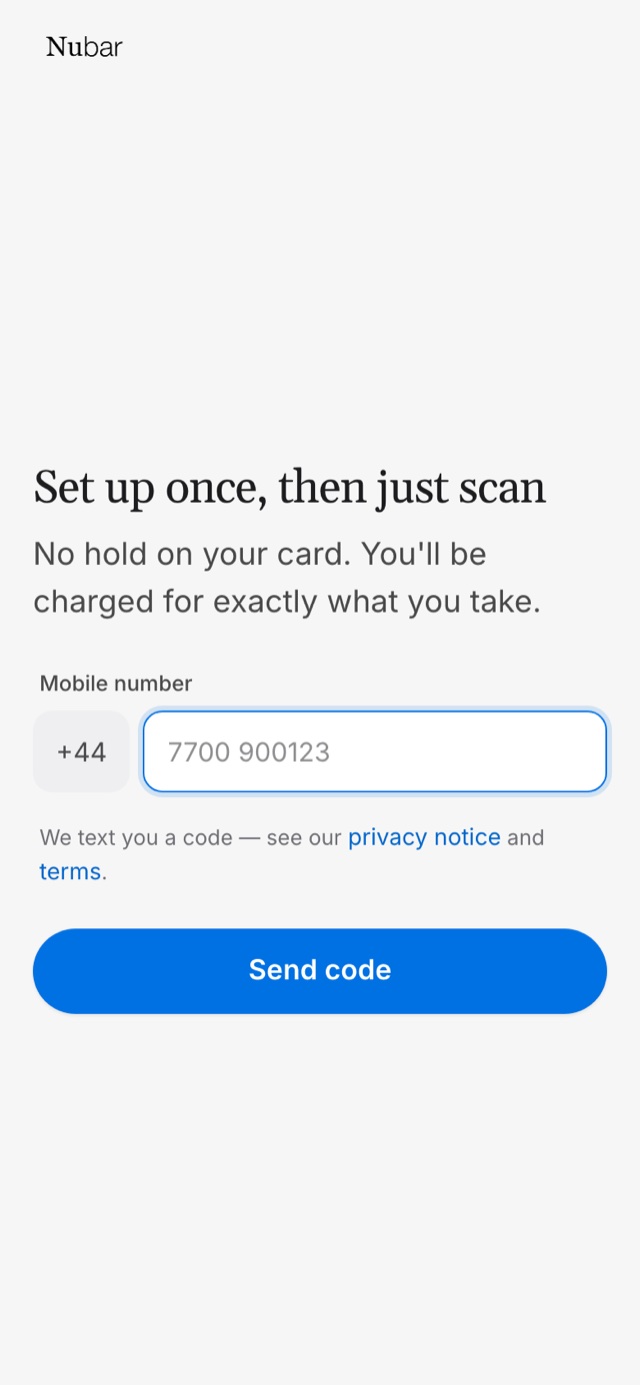
A number
Confirmed by text. No name, no email, no date of birth. The number is the account, and it is the only thing a customer has to give.
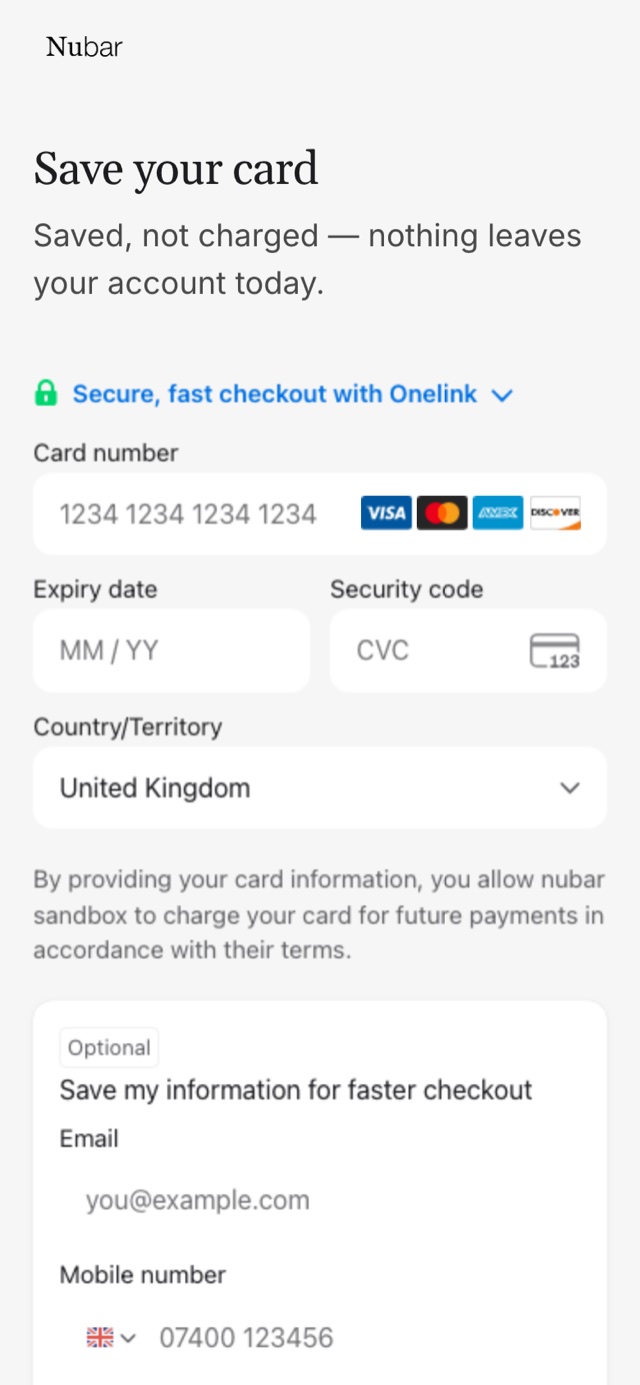
A card
Saved with Stripe, not charged. Nothing leaves the account that day, and the card number never reaches a Nubar server. Apple Pay and Google Pay appear here on a device that has them.
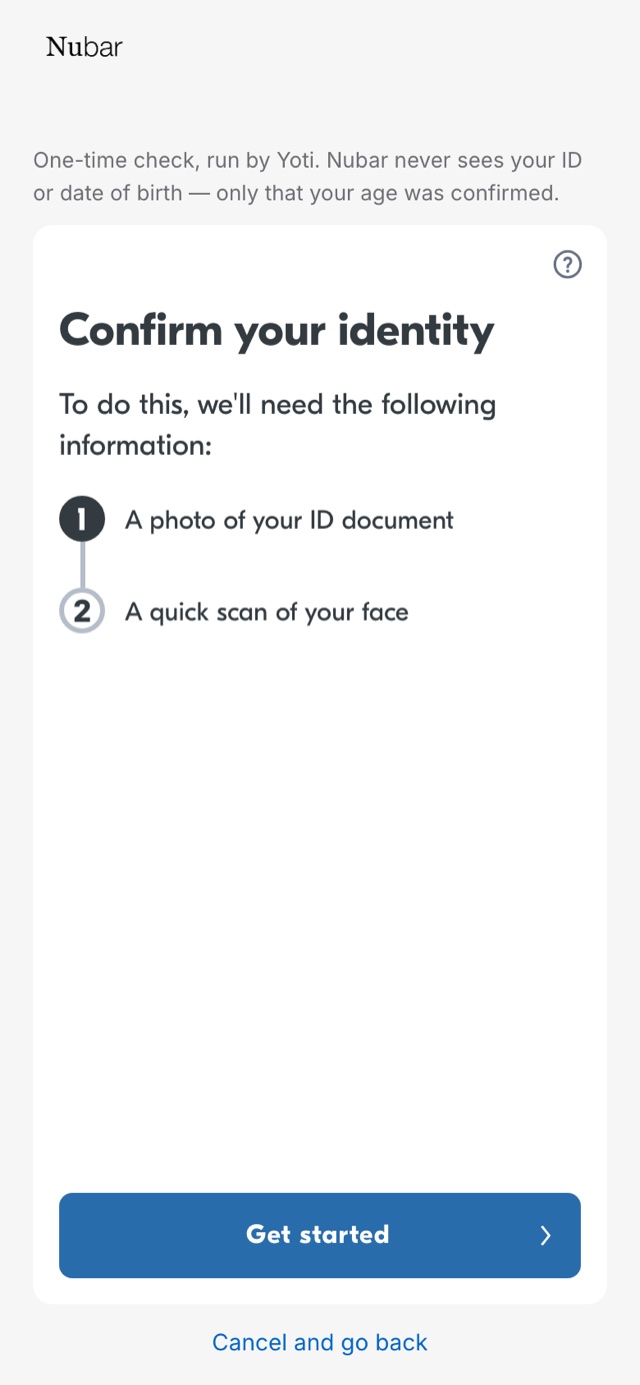
An age check, if the machine needs one
Run once by Yoti, a provider certified under the government's own verification framework. Nubar never sees the document or the date of birth, only that the check passed.
At the door, every time after that
Nothing is held and nothing is reserved at any point in this.
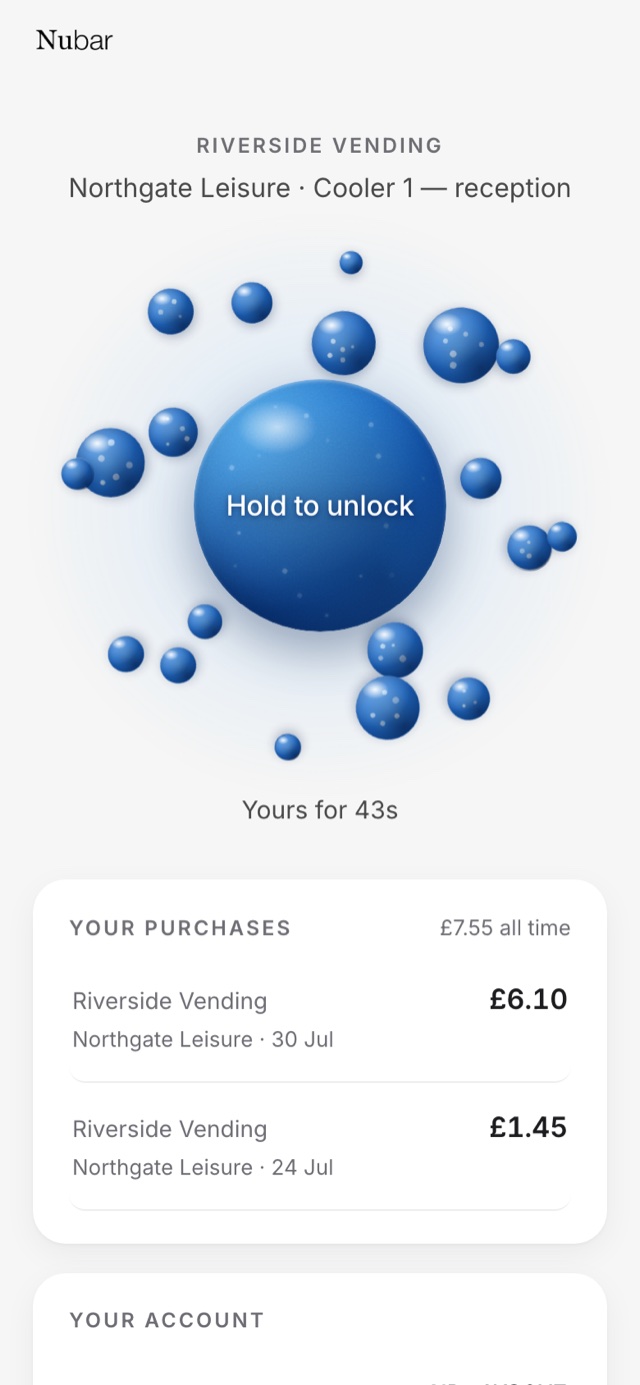
Scan, then hold
The machine names itself before anything happens, so the customer can see which door they are about to open. It never opens on the scan alone.
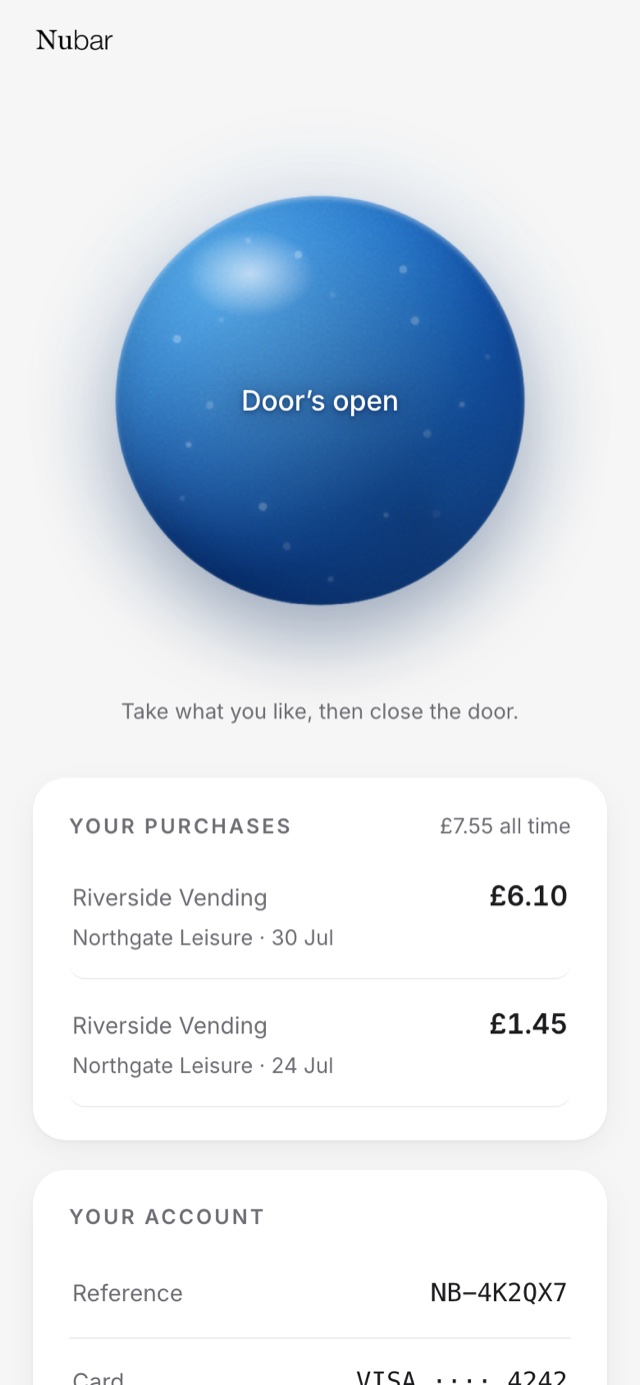
The door opens
Take what you want and close it. The machine's cameras and weight sensors do the counting.
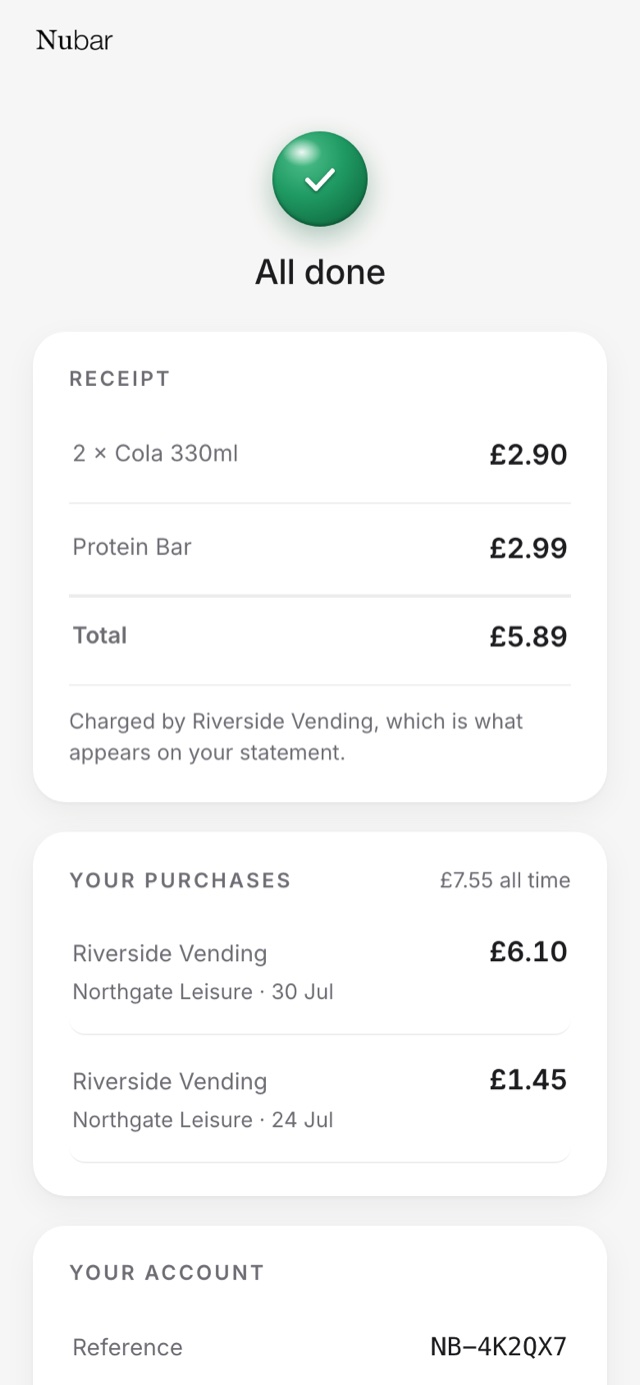
Charged for the items
Itemised, to the item, in the operator's name because the operator is the merchant. If the machine cannot say what was taken, nobody is charged at all.
And when it does not go smoothly
A system that only works on the good day is not finished. These are real screens too.
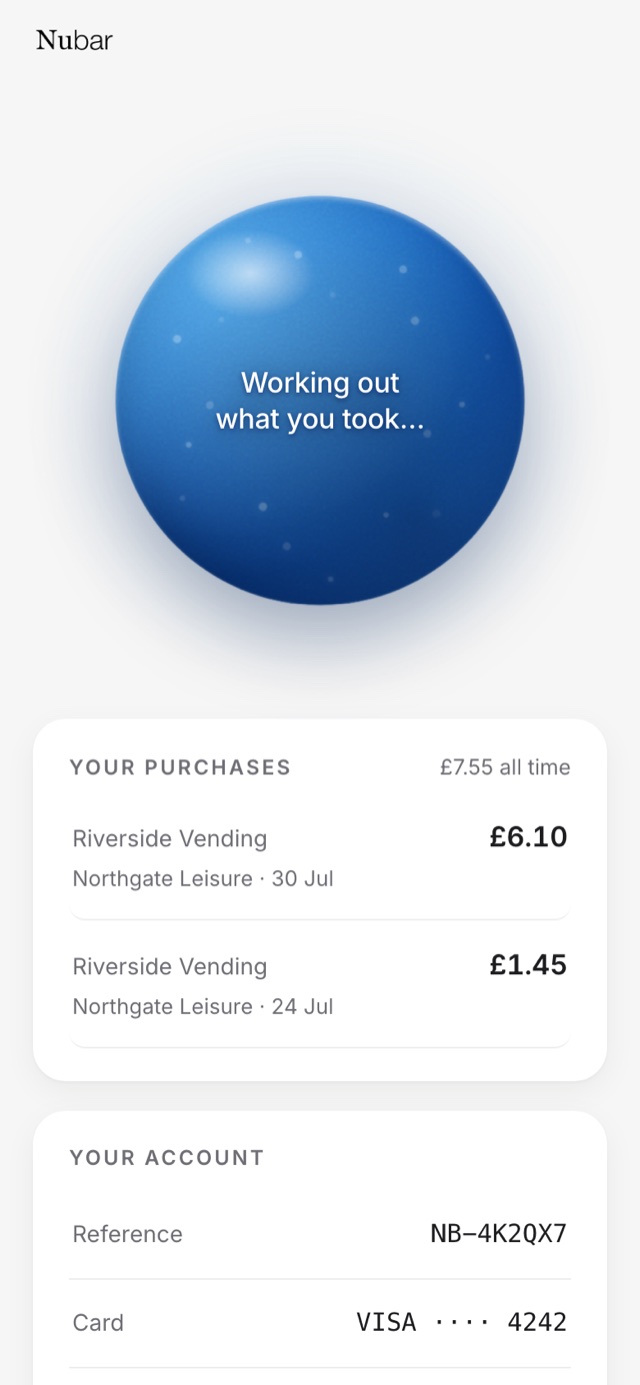
The machine is still counting
The door has closed and the basket has not arrived yet. The customer is told that, rather than being left with a spinner.
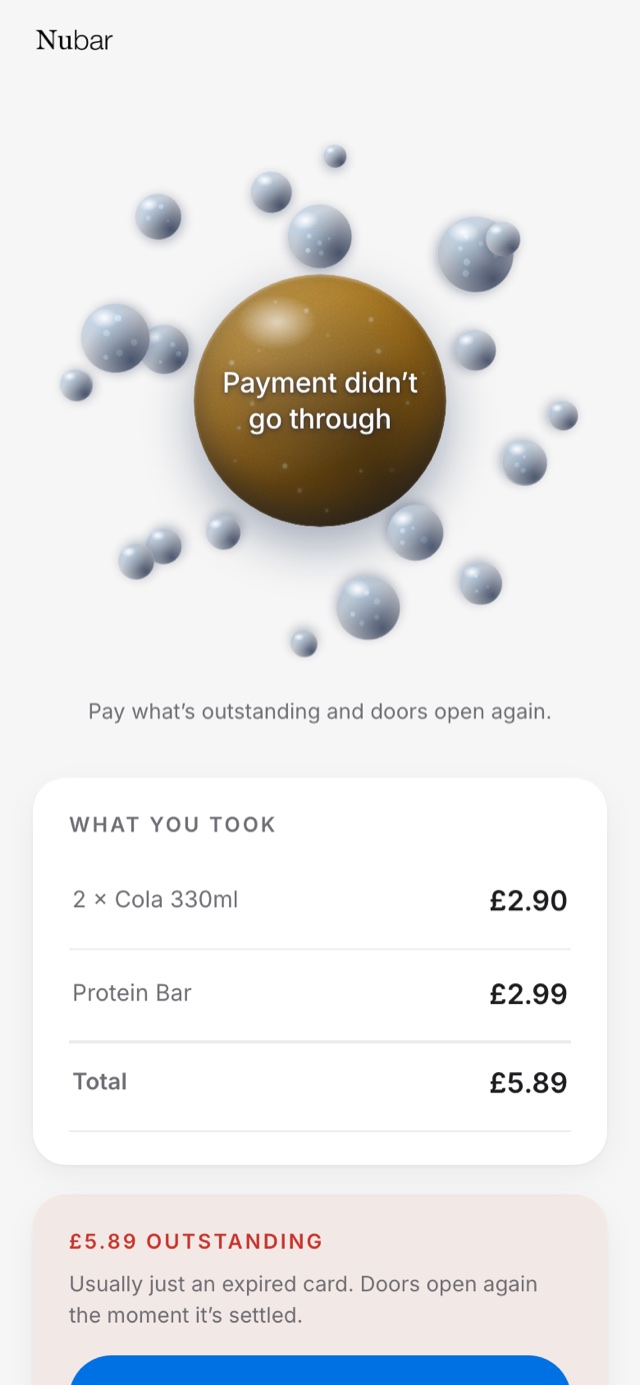
The card was declined
Usually an expired card rather than anything worse. The amount is named, the account is paused, and there is a way to put it right immediately.
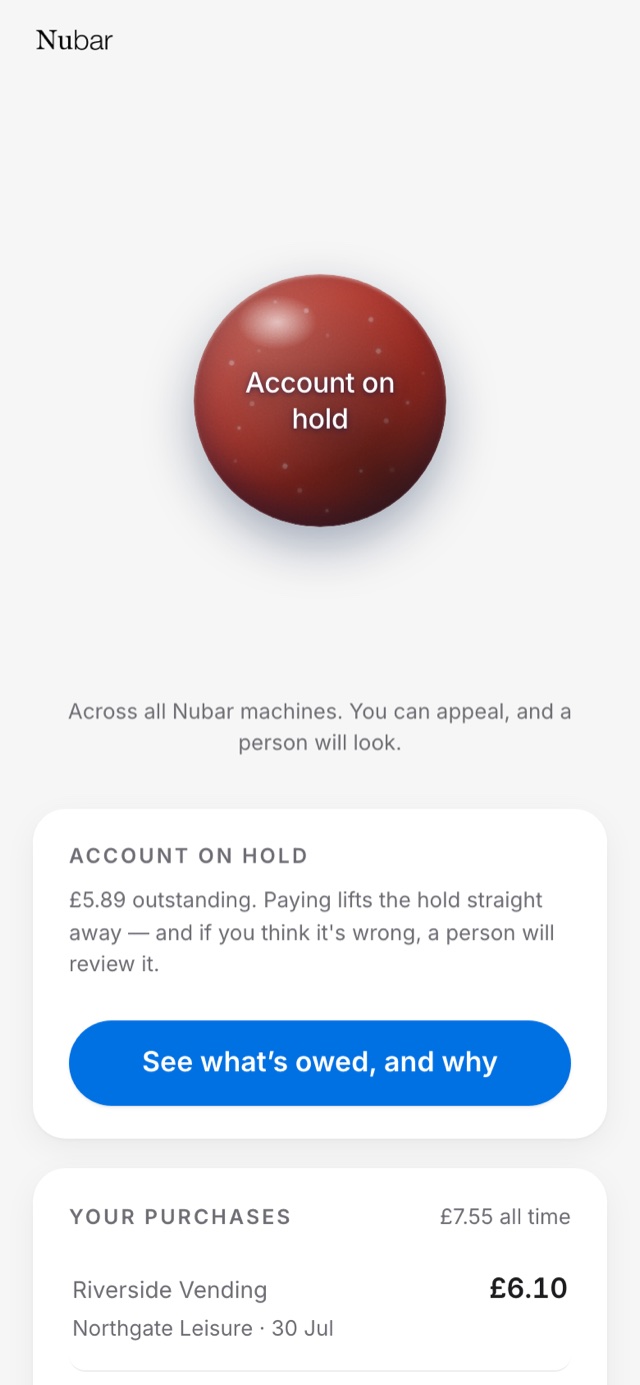
The account is paused
Paused lifts the moment the customer pays. A lasting block only comes after five days of failed recovery, is explained in writing, and can be appealed to a person.
Screens captured from the application running at nubar.vercel.app. Payments run in Stripe's test mode until an independent security review is complete, and the business names shown are illustrative rather than customers.
The operator
The desk side, on a laptop.
An operator runs their estate from a dashboard: machines, sessions, refunds, settlement, the age-verification setting for each door, and the performance of the whole fleet on one page. These are the real screens.
Sign in without a password
A mobile number and a six-digit code by text. There is no password for anyone, ever, which means there is no password for anyone to lose.
Operator accounts are invite-only while Nubar is being built. Businesses that want in put their name down and are set up by hand.

Every door opening, as it happens
The dashboard shows what has been taken today, which machines need attention, and every session from the scan to the settlement.
Operators see their own machines and their own sessions, with a reference for each customer. They never see who that customer is, and never anything that customer did at anyone else's machines.

Machines, and the self-test before they earn
A new machine cannot take a penny until it has passed a four-step self-test: it answers, it is who it says it is, its door responds, and it can report a basket.
A machine that fails the test says which step failed. It does not go live and quietly take money.

One session, start to finish
The scan, the unlock, the basket the machine reported, the charge, the fee, and the settlement into the operator's account. Every step timed.
If a customer disputes what they were charged, the operator decides and the operator refunds. Nubar stays out of it, and returns its fee in proportion.

The settings that decide behaviour
The account the money lands in, the fee rate, and the age requirement for each machine.
Every machine defaults to sixteen and over. An operator can switch that off only by attesting that the machine stocks nothing age-restricted, and the attestation is logged with its wording and the time, so it can be produced to a Trading Standards officer.

The whole fleet, on one scale
Machines from different manufacturers normally mean different dashboards, each one blind to the others. Performance puts every machine on one page: by machine, by manufacturer, by site, by product, and by hour of the week.
Any month on the chart opens as its own summary, each machine has a page of its own, and every figure counts only money that arrived.

The business shown is Riverside Vending, the demonstration operator built into the product so it can be shown without exposing anyone's real takings. Its machines, sites and figures are invented.
What replaces the hold
A record that follows the account, not the money.
An account that takes goods and does not pay is blocked at every machine on the network, from every operator, until it settles. That is what makes it reasonable to open a door before any money has moved, and it is worth more than a ten pound hold because it does not expire and is not limited to one estate.
Most failed payments are expired cards rather than theft, so the system repairs before it punishes. Nothing is blocked without warning, every block is explained in writing, and every block can be appealed to a person.
Where we have got to
The application above is built and working end to end, against a simulated cooler that speaks the same interface a real one will. What has not happened yet is a machine on a wall: no coolers are running on the network, and payments are in Stripe's test mode until an independent security review is done. We are talking to operators now, which is what this site is for. If you run machines, we would like to hear how you handle payment at them, whether or not Nubar turns out to be any use to you.